

- 158 Views
- 22 Min Read
- (0) Comment
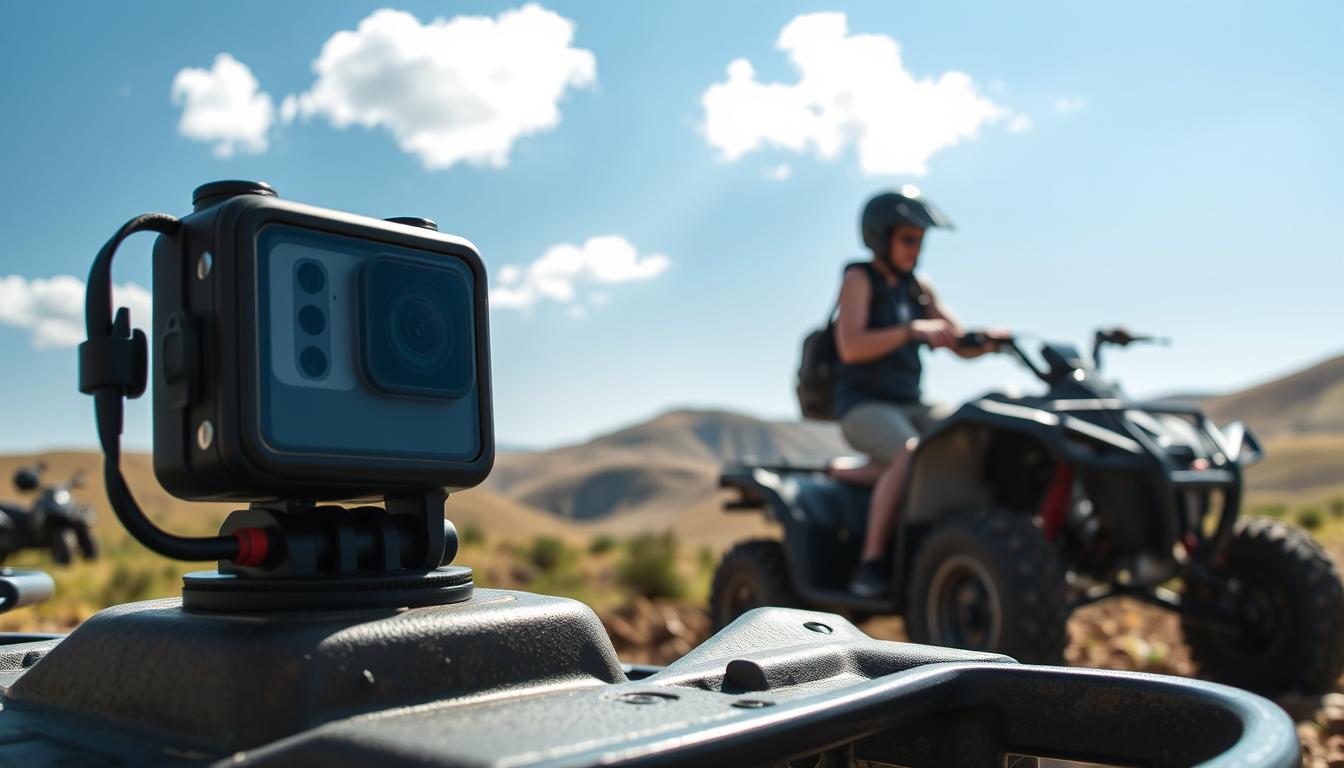
The moment your quad hits a dune near Al Qudra is magical. You feel hot wind, hear roaring under your boots, and want to capture it all. But you also don’t want to damage your gear. Perhaps you’ve already faced a sandy lens or a phone that overheated. Now, you can start over with smarter ways to keep them safe.
This guide will show you how to keep your phone and camera safe while enjoying quad biking. It’s filled with tips for the deserts of the UAE, from the dunes of Dubai to rugged wadis. You’ll learn about the best gear, like OtterBox and Pelican cases, GoPro and DJI cameras, Peak Design mounts, and important IP ratings. This way, you can enjoy quad biking without worrying about your gadgets.
Think about the memories you want to capture: the sunrise over a ridge, friends riding over sand, or the calm before accelerating again. Following the right steps for protecting electronics allows you to save these memories. This means you can turn your adventure into a story without risking your devices. Every incredible moment can be safely brought back home.
Key Takeaways
- Plan for heat, sand, and vibration from the start to safeguard gadgets while quad biking.
- Use proven brands and IP-rated gear for quad biking electronic device safety in desert conditions.
- Adopt phone camera protection tips before, during, and after rides to prevent damage and data loss.
- Choose rugged cases, sealed mounts, and smart handling to protect lenses and sensors.
- Set up battery, storage, and cooling strategies so your footage survives the UAE heat.
- Match your filming style to safe moments on the trail to keep focus on the ride and the shot.
Why Quad Biking in the UAE Puts Your Devices at Risk
In Dubai and Abu Dhabi, your devices face tough conditions in the dunes. Sand, heat, shakes, and moisture can harm your electronics. Knowing this, you can protect your gadgets while enjoying quad biking without losing any photos.
Sand, Dust, and Heat: The Triple Threat
Tiny sand grains can get into your device, causing damage. Dust blocks cooling vents, making devices overheat. Out in the dunes, your dark-colored gadgets can get very hot, very quickly.
Temperatures can soar above 45°C in summer. In this heat, screens and batteries wear out faster. Devices might even turn off to avoid damage. Keeping them cool, clean, and in the shade is crucial.
Vibration and Impact on Off-Road Trails
Riding over rough trails can make parts inside your gadgets loose. Cameras are especially vulnerable to damage. A big bump can crack screens or damage camera parts.
Dust and shakes make camera controls wear out faster. Using ways to lessen shocks and keeping gadgets secure helps protect them on bumpy routes.
Water, Sweat, and Humidity Considerations
Even though it rarely rains, moisture from morning dew, sweat, and humidity can sneak into your gadgets. This moisture can fog up camera lenses and harm screens. Sweat can also rust connections.
When cleaning your vehicle or passing by water, your electronics can get wet if not properly covered. To avoid harm, keep your devices dry and use protective cases when you’re out quad biking.
Essential Phone and Camera Cases for Off-Road Protection
When you’re out on the dunes, facing sand, sharp jolts, and sudden drops, the right protection for your phone and camera gear is crucial. You need cases and covers that tightly seal, resist impacts, and still let you take photos. Getting suitable accessories ensures your devices stay safe during quad biking adventures without holding you back.
Rugged Drop-Proof Cases for Phones
For top-notch protection, opt for drop-rated cases like OtterBox Defender, Spigen Tough Armor, or UAG Monarch. Combine them with tempered glass or ceramic screen protectors that feature a 2.5D edge and protection for the camera bump. To keep sand and dust out, use port plugs, enhancing protection on bumpy tracks.
If you’re dealing with lots of dust or crossing creeks, turn to IP68 housings like Catalyst or LifeProof FRĒ. These accessories ensure your device’s buttons stay easy to press and seals keep out dirt. They keep your gear safe, even when the wind picks up during your rides.
Weather-Sealed Camera Bodies and Lenses
Pick cameras like Canon EOS R6 or R7, Nikon Z6 II or Z8, Sony a7 IV, or Fujifilm X-T5 for their weather-sealed designs. Pair them with lenses that have gaskets—like Canon’s L-series, Nikon’s S-Line, or Sony’s G and G Master—to keep out sand and water. Don’t forget to add silicone port covers and body caps when you’re taking a break.
To further protect your gear, store it in crushproof cases like Pelican 1120 or 1200 and NANUK 905. These cases use foam to prevent your gear from moving around. This is a crucial step in keeping your phone and camera gear safe and complements the protective accessories you’re using.
Lens Filters and Caps to Prevent Scratches
Use clear or UV protective filters from brands like B+W, Hoya HD, or Zeiss to protect your lens from sand. Always cover the lens with caps when you’re on the move. Before cleaning off any dirt, tap off the sand and use a clean microfiber pouch to avoid scratches.
For action cameras like GoPro HERO12 Black and DJI Osmo Action 4, pick protective lens covers and replaceable protectors. These small accessories are vital for keeping your devices safe during your quad biking trips. They ensure your footage stays sharp, even as you navigate changing dunes.
How to Protect Your Phone & Camera While quad biking
Riding hard doesn’t mean risking your gear. Use these steps to get great shots and keep your devices safe while quad biking. These methods have been tested in the dunes of the UAE.
Pre-Ride Prep and Device Settings
First, update your phone’s and camera’s firmware. Then, format memory cards directly in the camera. Make sure auto-backup is on for easy transfer to the cloud once you find Wi‑Fi.
Keep your screen brightness at a moderate level. On a GoPro, setting it to HEVC or a lower bitrate helps. This reduces the workload on your processor. Seal every opening, use sturdy cases, and put silica gel in your bag. Label batteries and cards, storing extras safely. These tips will help protect your camera and phone.
On-Ride Handling and Safe Access Techniques
Keep key devices in a dustproof pocket or harness as you ride. Quick access holders like the Peak Design Capture Clip are great for stops. Avoid touching your gear while moving, especially on dunes.
Always stop on flat ground, apply the brake, and then get off to shoot. Attach lanyards to your devices to prevent falls. Don’t change lenses in windy areas unless you’re shielded. Following these tips ensures your devices stay safe.
Post-Ride Cleaning and Maintenance
Start with a hand blower for dust removal before wiping. Use a soft brush on tricky spots like buttons. Clean glass parts with a microfiber cloth and a bit of lens cleaner.
When indoors, check and maintain your gear. Inspect seals for damage and replace if needed. Wash any exposed cases, let them dry, then put everything back together. Charge devices at a normal temperature. Always back up your files to a SSD and the cloud afterward. Follow these steps to protect your photography equipment and memories.
Mounting and Securing Solutions for Rough Terrain
When you ride hard, your gear should too. Use top quad biking phone camera accessories. They reduce shake, keep dust out, and secure your tech on shifting dunes. Their goal: protect your devices off-road without affecting your pace.
Vibration-Dampening Handlebar and Chest Mounts
Choose mounts with elastomer dampers to reduce ATV buzz. Look at Quad Lock’s Vibration Dampener, RAM Mounts, and DJI Osmo’s motorcycle mount. They help stabilize optics and sensors, and minimize blur in your videos.
To get a steadier view, use a GoPro Chesty. It smoothens the horizon and lessens helmet wind noise during fast rides. Make sure clamps fit your ATV bars well. Tighten them as needed, and double-check their grip after riding for a bit. This keeps your equipment safe and your video angles steady.
Tether Lanyards and Safety Straps
Always use a backup line. Peak Design Anchors and GoPro tethers, or even a simple paracord, can save your gear if a mount breaks. For extra safety, a Moment Wrist Strap prevents drops when you’re taking photos off your quad.
Keep your tethers short and clear of sharp edges that could wear them down. This simple step, along with your other quad biking gear, helps keep your tech safe in tough conditions.
Quick-Release Systems for Fast Access
Change from riding to shooting in no time with quick-release systems. Arca-Swiss and Peak Design Capture locks are secure, while Moment’s MagSafe Pro Tripod Mount and Quad Lock make swaps faster.
Choose setups with dust-resistant seals to protect against sand. Smooth operation reduces wear on your devices, letting you capture the perfect shot without hassle.
| Use Case | Recommended System | Key Advantage | Desert Tip |
|---|---|---|---|
| High-vibration handlebars | Quad Lock Vibration Dampener | Reduces high-frequency buzz | Re-check torque after first 10 minutes |
| Flexible positioning | RAM Mounts ball-and-socket | Fine angle control | Use rubber balls to isolate shock |
| Stable body POV | GoPro Chesty | Smoother horizon in wind | Tighten straps to prevent bounce |
| Secondary retention | Peak Design Anchors / GoPro tethers | Prevents loss on impact | Inspect cords for abrasion each ride |
| Fast switch to handheld | Arca-Swiss / Peak Design Capture | Positive lock, quick release | Keep plates clean of grit |
| Magnetic quick change | Moment MagSafe / Quad Lock | Rapid mount-on, mount-off | Choose dust-resistant interfaces |
Weatherproof and Dustproof Gear for Desert Conditions
When you ride in the heat, wind, and fine sand, you need gear that protects your phone and camera. It should be light and not make your setup heavy. Look for products from trusted brands and select layers for protection. This way, you can keep your devices safe while riding on sand dunes and rocky paths.
IP Ratings You Should Look For
Start by checking the dust rating of the device. Go for an IP67 or IP68 rated phone or camera as they’re dust-tight and can handle being underwater briefly. For added water protection, look for cases and pouches with IPX6 to IPX8 ratings. They’re very useful, especially if you clean your quad or get caught in the rain.
Don’t forget that with time, seals wear out. Gaskets get hard, and ports may not work as well, letting sand in. Always check the o-rings and port covers before you go out. This keeps your devices safe when you’re quad biking in windy conditions.
Dry Bags, Pouches, and Roll-Top Cases
A roll-top dry bag from Sea to Summit or OverBoard works great inside a padded backpack. It gives an extra layer of protection. Choose materials that can handle wear and tear like X‑Pac or Cordura and look for reliable zippers. YKK AquaGuard zippers are a good choice for keeping things dry.
Keep your batteries and memory cards in smaller pouches to keep them away from moisture and sand. This way of organizing things adds more protection for your phone and camera. You can enjoy off-road rides across different types of land without worry.
Silica Gel Packs and Anti-Fog Inserts
Put silica gel packs in your cases to control the moisture. Make sure to dry them out in the oven as the instructions say. This keeps them working well between your desert trips. The weather in the UAE can change quickly from very hot to very humid.
For action cams like GoPros or DJIs, anti‑fog inserts are great for keeping your lens clear. They stop the lens from fogging up when you go from a cool place to the hot desert. This simple step helps keep your video and photos clear.
Checking out local safety guidance for desert rides is also smart. It covers how wind, dust, and how you can see can affect how you should pack. Plus, it gives tips on keeping your gear safe.
Best Practices for Capturing Footage Safely
Getting clean shots is key, but you must stay in control of your quad. Here are some tips for using your phone camera safely while quad biking. Plan where you’ll shoot ahead of time, choose spots where you can stop safely, and use accessories that keep your devices secure.
When to Stop and Shoot vs. Record On-the-Go
Use action cameras to record while you ride, but stop for special shots. Pick views like dune tops or rocky overlooks for these moments. Avoid holding your camera in tricky spots; instead, keep your focus on the path ahead.
Make a short plan of the shots you want before heading out. This helps you switch gear less and keeps your equipment clean. Look for places with hard ground for quick stops and easy starts.
Stabilization Tips Without Risking the Shot
Start with mechanical stabilization like a handlebar mount or chest rig. Combine this with camera stabilization techniques to keep your footage smooth without making your device hot.
If you’re using a gimbal, protect it from the sun when not shooting and turn it off when not in use. Adding ND filters helps get smooth shots without too much editing. These steps help keep your gear safe and capture great detail.
Battery and Storage Management in High Heat
Keep batteries cool in a special bag and away from the sun. Switch them out before they’re empty, and let them cool down before recharging. Use durable microSD cards to avoid errors on bumpy rides.
Save your footage to a reliable SSD while you’re in the shade. Managing your batteries and storage wisely, along with using the right accessories, ensures your phone camera is always ready.
| Scenario | Safe Action | Recommended Gear | Why It Helps |
|---|---|---|---|
| Fast dunes with ruts | Record with a mounted action cam; no handheld use | Chest rig, vibration-damped handlebar mount | Hands stay on controls, boosts quad biking electronic device safety |
| Scenic ridge at golden hour | Stop, dismount, compose stills and clips | Phone clamp with mini tripod, ND filters | Sharper framing and stable footage with minimal dust exposure |
| Midday heat | Limit gimbal use; shade and power down between takes | DJI Osmo Mobile or Zhiyun Smooth, sun hood | Reduces thermal load and extends run time |
| Long desert loop | Rotate batteries; cool before charging; back up in shade | Insulated pouch, Samsung T7 Shield or SanDisk Extreme Portable | Prevents battery stress and data loss in high heat |
| High-vibration trails | Use mechanical damping plus moderate IBIS/OSS | Damped mounts, stabilized lenses | Smoother footage without overheating electronics |
What to Pack: A Quad Biking Phone Camera Protection Checklist
Dial in your kit before the dunes. Start with a MIL-STD drop-rated case, like those from OtterBox or Spigen, plus tempered glass. Pair your camera with weather-sealed bodies and lenses from top brands. These could be Canon or Sony. Use clear UV filters and action cam lens protectors for extra safety.
Don’t forget rain covers and port plugs. They keep your gadgets safe from sand and water while you’re out biking.
Steady mounts are key. Opt for a vibration-dampened setup from RAM Mounts or Quad Lock. Combine it with safety tethers and quick-release plates. This ensures your gear stays safe but within reach.
For storing gear, consider a Pelican case with customizable foam. Also, pack waterproof bags and silica gel to protect from sand and heat. This is especially helpful in places like the UAE.
Power and backup are crucial. Bring extra batteries and high-quality memory cards from brands like SanDisk. A rugged SSD, like the Samsung T7 and a reliable power bank, are a must. These are vital for keeping your gadgets powered up.
Cleaning supplies are essential for clear shots. Pack a blower, brush, microfiber cloths, and lens cleaner. Also, electronic wipes help keep gear spotless. For underwater cases, O-ring grease keeps the seal tight and protects your camera.
Comfort and safety matter too. Wear light gloves and a cap or shemagh for protection from the sun. A tarp or mat will keep your equipment clean and scratch-free.
Stay organized with a shot list and zip bags for trash. Use a notebook and Sharpie for quick labeling. This helps keep track of your gear and makes post-ride cleanup easier.
Services in Dubai to Support Your Safe Adventure
Dubai gives you expert help so you can have fun and keep your gear safe. They have the right partner for you. This way, you can take care of your tech during quad biking, protect your devices during off-road riding, and keep your gadgets safe while capturing great shots.
About Desert Buggy Rental Dubai
Desert Buggy Rental Dubai offers guided tours perfect for creators who want safe and easy experiences. They provide route plans and briefing points. You also get timed stops to secure your tech and adjust your gear before moving on.
The guides will tell you about the terrain, where it’s safe to film, and the best timing for shots. Their approach reduces the risk from dust and heat. This helps you focus on getting great footage without harming your devices.
Booking Hours and Contact Details
They accept bookings any time, meaning you can plan around the best lighting and temperatures. For tips on how to keep your gadgets safe while biking, call +971 52 440 9525 or email [email protected].
Their team can recommend the best gear for the local dunes. This makes it easier to protect your tech during adventures and tackle tougher routes safely.
Tour Options to Match Your Filming Goals
Choose from Dune Buggy Tours or Quad Biking Tours for exciting shots. Morning and Evening Desert Safaris are great for softer lighting. This helps keep your gadgets cool and safe during your adventure.
Consider adding a Desert BBQ Dinner, Camel Ride, or sandboarding to get various shots. These breaks are perfect for recharging and maintaining your equipment. This way, you’re ready for the next action-packed part of your trip.
Local UAE Tips: Heat, Etiquette, and Safety Regulations
Riding under the strong Gulf sun and shifting sands requires planning. Before quad biking, think about how to avoid damage, protect your devices off-road, and keep your tech safe. This way, you won’t miss capturing any moments.
Managing Extreme Temperatures on Summer Rides
Ride at dawn or late afternoon to escape the worst heat. If you’re not using them, keep your phone and camera in the shade. Never leave them out in the sun.
White or reflective covers can lower the temperature of your devices. Drink water often to stay hydrated. Plan brief stops to cool down and protect your gear while biking.
- Store extra items in insulated bags.
- Lower your screen’s brightness to lessen the heat.
- Stop video recording if you’re not moving to keep your tech safe.
Respecting Desert Wildlife and Protected Areas
Stick to designated paths to protect the desert environment and avoid creating dust clouds. Give animals like the Arabian oryx enough space. Be quiet near camps.
Avoid using drones in conservation areas and always check rules before filming. Don’t bury your equipment in sand; take everything with you. This helps keep the off-road areas clean and safe for wildlife.
- Look for and follow signs from Dubai Municipality and Environment Agency–Abu Dhabi.
- Keep the noise down during breaks.
- Drive gently near homes of birds and animals.
Insurance and Permission Considerations for Filming
Make sure your insurance covers off-road and hot weather conditions. Keep a record of your gadgets’ serial numbers and pictures. This helps if you need to protect your tech while quad biking.
If you plan on doing commercial shoots, check if you need any permits first. Tour operators might ask you to use tethers, lanyards, and strong cases to keep your devices safe. This is especially important on guided tours.
- Have your insurance info on your phone and also keep a paper copy.
- Attach tethers to your mounts and carry an extra lanyard.
- Choose strong cases from well-known brands like OtterBox, Peak Design, or GoPro.
Conclusion
Riding hard doesn’t mean risking your tech. The key is to use tough cases and weatherproof gear. Mount them securely to reduce vibration. Always tether each device for extra safety. Remember to set your devices to Do Not Disturb and lock them before starting. Keep lenses covered until it’s time to film. This approach minimizes sand damage, reduces the impact, and makes sure you can still use your devices easily.
When planning your shots, choose safe places to stop, avoiding risky spots. Keep your gear cool by switching out batteries, using heat-resistant microSD cards, and keeping spare parts in a cool, dry place. Always clean your equipment after use. This prevents damage from sand and moisture. This care keeps your technology safe during quad biking adventures.
Local expertise is invaluable. With Desert Buggy Rental Dubai, you get advice on where to go and how to keep your gear safe. If you need personalized help on protecting your devices or selecting tours, contact them at +971 52 440 9525 or [email protected], any time. Follow these tips every time you ride. They’ll help keep your devices safe and ensure you come back with great shots.
FAQ
How do you protect your phone and camera from sand and heat while quad biking in Dubai?
For your phone, get a case that meets MIL-STD-810G/H standards. It should have port plugs and a glass screen protector. Cameras do best with weather-sealed bodies and lenses plus UV filters. Keep everything in a hard case like Pelican or NANUK inside a dry bag with silica gel. Make sure your devices stay in the shade. Also, use mid brightness and low-power modes to keep them cool. These steps will keep your gadgets safe in Dubai’s extreme conditions.
What IP ratings should you look for to block dust and sweat on rides?
Choose IP67 or IP68 ratings for phones and action cameras to ensure they are dust-tight and water-resistant. If you’re getting cases or pouches, look for IPX6–IPX8 to protect against water jets and brief dips. Remember, a “6” in the first digit means it’s fully dust-protected.
Which mounting solutions reduce vibration on rough ATV trails?
Go for mounts that dampen vibration. Options include Quad Lock with a Vibration Dampener, RAM Mounts, or a GoPro Chesty for stability. Check the clamps’ tightness after 10 minutes. And always use a tether as a backup to secure your devices.
Is it safe to film handheld while crossing dunes?
No, it’s not safe. Always stop on level ground and turn off your vehicle before filming. Use chest rigs like those from Peak Design or Cotton Carrier for easy access while still. This prevents damage and helps you stay focused.
What are the best cases and accessories for phones in the desert?
Use strong cases like OtterBox Defender, Spigen Tough Armor, or UAG Monarch. They have camera protection too. For serious dust and water, get an IP68 housing like Catalyst or LifeProof FRĒ. Also, attach a wrist strap and carry a dustproof pouch for additional safety.
How do you protect camera lenses from scratches and abrasion?
Install top-notch clear or UV filters by B+W, Hoya HD, or Zeiss. Always use lens caps when moving. If you’re using GoPro HERO12 Black or DJI Osmo Action 4, go for replaceable lens protectors. Use a blower to remove grit before wiping to avoid scratches.
What camera bodies and lenses handle dust and heat better?
Opt for weather-sealed cameras such as the Canon EOS R6/R7, Nikon Z6 II/Z8, or Sony a7 IV. Match them with sealed lenses like the Canon L-series. Keep extra gear in foam-lined hard cases to protect against bumps.
How should you manage batteries and memory cards in high heat?
Store batteries in a cool pouch and switch them out regularly. Wait for them to cool down before recharging. Pick durable memory cards like SanDisk Extreme Pro. Back up data to a reliable SSD, like Samsung T7 Shield, especially while in cooler areas.
What are the best on-ride settings to prevent overheating?
Set your phone and camera screens to a medium brightness. Activate low-power modes. On action cameras, use efficient settings and maybe ND filters. This helps avoid overheating while capturing your adventure.
How do you clean gear after a sandy ride without causing harm?
Start by blowing off dust with a hand blower. Next, brush out the crevices gently, then wipe lenses with a damp microfiber cloth. Keep battery compartments and ports sealed until indoors. Regularly check and replace any worn seals and rinse salt off cases.
What quick-release systems work best for fast, secure access?
Arca-Swiss plates and Peak Design’s Capture system offer secure and quick access. Look at Moment’s MagSafe for phones. Pick mounts that keep out dust and avoid metal-on-metal contact in sandy conditions to lessen wear.
What should you pack to protect devices off-road riding in the UAE?
Bring a sturdy phone case, glass protector, weather-proof camera gear, and UV filters. Include covers for your action cam, dry bags, water-resistant pouches, and silica gel. Also pack mounts with vibration dampening, labeled batteries, high-endurance memory cards, a power bank, cleaning tools, and O-ring grease.
When is the safest time to capture footage on the move?
Use a mounted action camera to film while riding. Handle your phone or bigger camera only during breaks at beautiful spots. This keeps you safe and your equipment free from dust.
Can Desert Buggy Rental Dubai help with gear safety and filming plans?
Yes, their guides will tell you about the safest spots and times for shooting. You can reach them anytime at +971 52 440 9525 or [email protected]. They’ll also give advice on the best accessories and secure mounts for the local conditions.
What local etiquette and rules should you follow when filming?
Stay within marked trails, avoid disturbing the wildlife, and respect protected areas. Check if you need a permit to shoot. Make sure your insurance covers your activities and list all your gear’s serial numbers for safety while riding.
How do you prevent condensation and fogging inside housings?
Place anti-fog inserts in camera cases and add silica gel packs to your gear bags. Keep these desiccants fresh as per manufacturer instructions. Store everything cool and avoid sudden temperature changes whenever possible.
What’s the safest way to swap lenses in the desert?
Don’t change lenses in open areas if it’s windy. Shield your gear with your body or inside a vehicle. Have caps ready and expose the inside of your camera as little as possible to avoid dust.
Categories
- Uncategorized (4)
- Desert Buggy Rental (2,089)
- Dune buggy (4)
- Quad Bike Rental (1)
- Desert safari (1)
- Hot air ballon (2)
- dirt bike (4)
Recent Post


Tags
Adventure Fitness Levels ATV rental Dubai Authentic Bedouin experiences Best Buggy Tour Duration Desert Buggy Desert Buggy Ride Desert Camp Experience Desert Dune Exploration Desert Safari Travel Tips Desert thrill ride Dubai desert buggy rides Dubai sunset adventures Dunes Adventure Eco-friendly Desert Tours Experiential Travel Extreme Adventure Tours Extreme Desert Buggy Driving Extreme Desert Experience Extreme sports Dubai Full-Day Excursions Group Desert Safari Packages Group Outing Ideas Middle East destinations Off-Road Quad Riding Outdoor Escapades Quad Biking Excursions in Dubai Quad biking experiences in Dubai RAK Desert Safaris Ras Al Khaimah Activities Ras Al Khaimah Safari Safari experiences Sharjah Sharjah Desert Sharjah Desert Adventure Hotels Sharjah desert photography SSV models Summer Safari Tips Sunset Buggy Rides Thrilling desert buggy rides Thrilling Desert Quad Tours Touring RAK wilderness Traditional Performances UAE dune adventures Unforgettable desert quad biking Yamaha Grizzly Quad Bike